
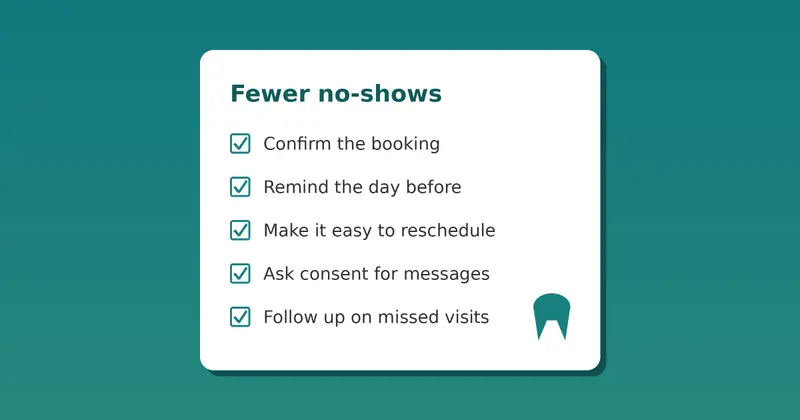
An empty chair costs your clinic the time you set aside and the patient who could have taken it. This article covers the simple habits that help patients keep their appointments: confirming, reminding, making it easy to reschedule, and following up. It also covers what the Data Privacy Act asks when you message patients.
This is information, not legal advice. For your own clinic's case, ask your lawyer.
Why patients miss appointments
Before you change anything, look at the last few weeks of missed visits. Ask your assistant, too. Common reasons are:
- They forgot. The visit was booked weeks ago, at the end of the last one.
- Something came up, and calling the clinic to move it felt like a hassle.
- They were worried about the procedure or the cost, and stayed away.
- They were never sure of the time. The booking was made by phone or chat and never written down.
Most of these can be fixed with a clear booking, a reminder and an easy way to reschedule.
Confirm every booking clearly
Each booking should end with the patient knowing the day, the time, the dentist and what the visit is for.
- Repeat the date and time back to the patient before they leave or hang up.
- Write it on an appointment card, or send it in a message they can find later.
- For a longer procedure, tell them how long it takes, so they can plan around it.
- Note the patient's preferred way to be reached: SMS, Viber, Messenger or a call.
Send reminders that patients read
A short reminder sent at the right time does most of the work.
- When: the day before is a common choice. For a long or costly procedure, add one a few days earlier.
- How: by the channel the patient said they use. A message they never open does not help.
- What: the clinic's name, the day and time, and how to confirm or reschedule. Keep it short.
If you use dental clinic software for the Philippines, the reminder can be written for you, and you still send it from the clinic phone.
Keep the details of the treatment out of the message. "Your appointment at the clinic is tomorrow at 10:00 AM" is enough. A message on a shared family phone or a locked screen can be seen by others.
A sample reminder:
Hi Ana, this is a reminder of your dental appointment tomorrow, Friday, at 10:00 AM at the clinic. Reply YES to confirm, or reply to this message to move it.
When a patient confirms, mark it in your schedule, so your assistant knows which slots are firm and which to call about.
What the Data Privacy Act asks when you message patients
Appointment details are about a patient's health, and health information is sensitive personal information under Section 3(l) of the Data Privacy Act of 2012, Republic Act No. 10173. Our Data Privacy Act guide covers what that means for a clinic. For reminders, a few sections matter most:
- Section 13 prohibits the processing of sensitive personal information, except in listed cases. Two of them fit a clinic: the patient's consent, specific to the purpose and given before the processing (Section 13(a)), and processing necessary for medical treatment, carried out by a medical practitioner, with an adequate level of protection (Section 13(e)).
- Section 11 says personal information is collected for specified and legitimate purposes, and must be adequate and not excessive for them. A reminder should carry what the patient needs to come in, and no more.
- Section 16 gives patients the right to be told how their information is used, including the purposes and who receives it.
- Section 20 asks the clinic for reasonable organizational, physical and technical measures to protect personal information.
In practice, many clinics:
- add a line on the patient registration form asking consent to appointment reminders, with the channel the patient chooses
- mention reminders in the clinic's privacy notice
- send reminders from a clinic phone or account, not a staff member's personal one
- stop messaging a patient who asks them to
If you use a messaging service or software to send reminders, Section 14 of RA 10173 keeps your clinic responsible for the data it hands to that provider. Our article on choosing dental clinic software lists questions to ask. At Dientecitos, patient data never goes to AI tools.
Make rescheduling easy
A patient who can move an appointment in one message usually does, instead of simply not coming.
- Say in every reminder how to reschedule.
- Answer reschedule messages quickly, with two or three open times to choose from.
- Keep a short waiting list of patients who want an earlier slot, and offer them a freed one.
Follow up on missed visits
When a patient does not come, reach out the same day.
- Send a short, kind message asking if they would like a new time. Leave out any blame.
- Note the missed visit in the patient's record, so you can see patterns.
- For a patient in the middle of treatment, such as after an extraction or during root canal treatment, a call from the dentist can matter for their care.
If your clinic has a no-show or late-cancellation policy, put it in writing, tell patients before they book, and apply it the same way to everyone.
A short checklist
The steps above, in one list
- Do we know why our recent no-shows happened?
- Does every patient leave with the day, time and dentist in writing?
- Do we record each patient's preferred channel?
- Do we send reminders, and do they say how to reschedule?
- Do our reminders leave out treatment details?
- Does our registration form ask consent to reminders?
- Does our privacy notice mention them?
- Do we send them from a clinic account, not a personal one?
- Do we follow up on the same day a patient misses a visit?
- Is any no-show policy written down and told to patients before they book?
Dientecitos has a 30-day free trial, no card.