
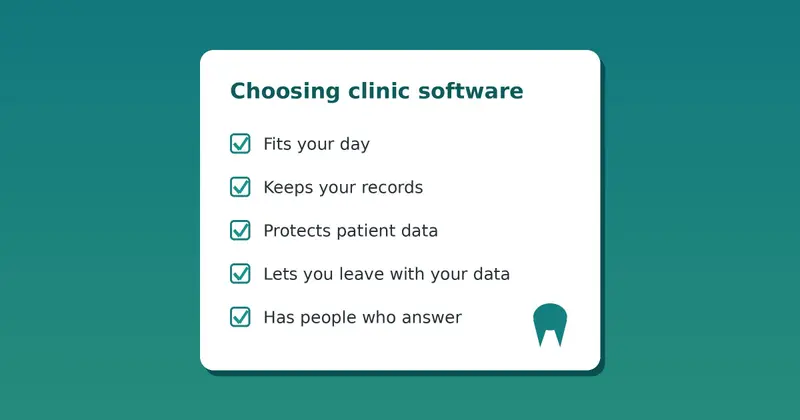
Clinic software holds your schedule, your patient charts and your billing. Changing it later is a lot of work, so it helps to choose with care the first time. These questions apply to any dental clinic software for the Philippines, including Dientecitos. They also cover the Philippine laws behind the questions about patient data.
This is information, not legal advice. For your own clinic's case, ask your lawyer.
Start with your clinic's day
Before you look at any software, write down what happens in a normal day at your clinic. Who books the patients? Who charts? Who collects payment? Who sends reminders?
Then try each part of that day in the software:
- Booking. Can your assistant see the day at a glance and book a patient in a few taps?
- Charting. Can you chart teeth and treatments without slowing down at the chair?
- Billing. Can you record a payment, a partial payment and a discount the way your clinic really gives them?
- Reminders. Can it remind patients of their next visit or recall?
Most products offer a free trial. Dientecitos has a 30-day free trial, no card. Use it on a real working day, with your assistant, using made-up patients. A screen that looks simple in a demo can feel slow when the waiting room is full.
Check that it can keep your records
A dental record is not something you can lose. Our guide on keeping dental records explains how long records are kept.
Ask:
- Does the software keep a full history of each patient: charts, treatment notes, consent forms and payments?
- Can you see who changed a record, and when?
- Is the data backed up, and how often?
If you plan to keep records in software, with no paper, the Electronic Commerce Act, Republic Act No. 8792, is worth knowing. Section 7 gives an electronic document the same legal effect as a paper one, as long as it has remained complete and unaltered and can be authenticated for later reference. Software that logs changes helps with that.
For consent forms signed on a screen, see our guide on e-signed consent.
Ask how it protects patient data
Your patients' health information is sensitive personal information under the Data Privacy Act of 2012, Republic Act No. 10173. Our Data Privacy Act guide covers what that means for a clinic.
Two sections matter most when you pick software:
- Section 14 says your clinic may use a service provider to process personal information, but your clinic stays responsible for making sure proper safeguards are in place.
- Section 20 asks for reasonable organizational, physical and technical security measures, and says third parties processing data for you must apply them too.
So the software company becomes part of how you protect your patients. Questions to ask:
- Who in my clinic can see what? Can I give my assistant less access than I have?
- Is the data encrypted when it is sent and when it is stored?
- Where is the data kept, and who at the company can reach it?
- Is patient data ever sent to AI tools or shared with anyone else?
- If there is a breach, how and when will you tell me?
Ask for the answers in writing, in a privacy policy or a data processing agreement. A company that cannot answer these plainly is telling you something.
At Dientecitos, patient data never goes to AI tools.
Make sure you can leave with your data
You may change software one day, or close or sell your clinic. Before you start, ask how you get everything out.
- Can you export patients, charts, appointments and payments yourself, at any time?
- Is the export in a common format, such as CSV or PDF, that other programs can open?
- What happens to your data if you stop paying, and for how long is it kept?
This also matters to your patients. Section 18 of RA 10173 gives a patient the right to a copy of their data in a structured, commonly used electronic format, where it is processed electronically. Software that exports cleanly makes that request easy to meet.
Look at the support and the setup
When something goes wrong in the middle of a clinic day, you want a person to answer.
- How do you reach support: chat, email, Viber, phone? During your clinic hours?
- Will someone help you move your existing patient list in, from paper or a spreadsheet?
- Does it work on the devices you already have: a laptop at the front desk, a tablet at the chair, your phone?
- Does it keep working if your internet is slow?
Then look at the price
Compare the price last, once you know which products fit your clinic. Check what is included in each plan, how many users and patients it covers, and whether the price is per month or per year. Dientecitos lists its plans at dientecitos.app/pricing, which is always current.
A short checklist
The questions above, in one list
- Did we try it on a real clinic day, with my assistant?
- Does it keep each patient's full history, with a log of changes and regular backups?
- Can I limit what each staff member sees?
- Is the data encrypted, and do I know where it is kept?
- Is patient data kept out of AI tools?
- Will the company tell me about a breach, and how?
- Can I export all my data myself, in a common format?
- Can I reach a person for help during clinic hours?
- Will someone help me move my existing records in?
- Do I understand what the plan includes?