
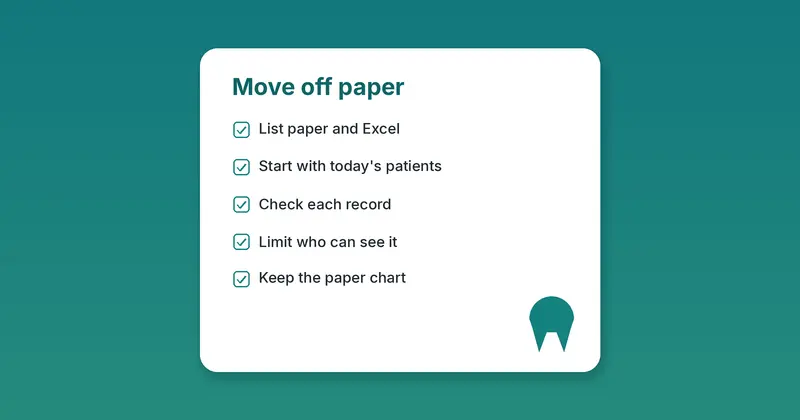
Paper charts and a spreadsheet can run a small clinic for years. This article is a practical way to move a clinic in the Philippines onto dental clinic software without losing a record or opening it to more people than the work needs. You move in stages. You list what you have. You decide who may see it. You check each record before you rely on it.
This is information, not legal advice. For your own clinic's case, ask your lawyer.
Move in stages
Typing years of charts in one weekend is how a name gets attached to the wrong teeth, and how an allergy gets skipped. A safer move is smaller.
- List what you have, on paper and in Excel, before you type it into software.
- Decide who may book, who may type a chart, and who may see payments. Give each person their own sign-in.
- Run a normal clinic day with made-up patients, so a real chart is not the first thing you touch.
- On the day the appointment book moves, book today's patients in the software. Add the facts you can check while that patient is in the chair.
- Leave older visits on the paper chart until you have compared them. Add the next visit in the software when the patient comes back.
- Keep the paper, and keep the spreadsheet from growing a second history, until the software copy matches what you meant to bring across.
Dientecitos is in pilot with several clinics in the Philippines. It does not load an Excel file or a stack of paper charts for you. On pricing, the answer to bringing records from old software is not yet: you start with today's patients and add others as they come back. You type a name when you book, and the record is created from that.
Try that first with made-up names. Dientecitos has a 30-day free trial, no card.
If you are still choosing a product, read how to choose software for your dental clinic before you move a chart. Once new bookings live in one place, how to reduce no-shows covers reminders, and what to leave out of a message to a patient.
Help in Dientecitos walks through everyday jobs, from a new patient to closing the day, using the button names on the screen.
List what you have
Two clinics can both say they use Excel and mean different files. One file is names and phone numbers. Another has allergies, balances and treatment notes. The second is a health record. Treat it that way.
| What you have | What to write down |
|---|---|
| Paper charts | How many you still use, where they are kept, and what a chart holds: the tooth chart, medical history, consent, payments |
| Spreadsheet | The columns, who has a copy, and whether it holds treatment or only names and phones |
| Appointment book | Whether the next few days are already written there |
| X-rays and photos | Which program holds them, and who can open it |
You do not need to count every chart from years ago before you switch a single day. Separate the patients you still see from charts that have sat.
A balance in Excel is not a fact until it matches a receipt or an invoice. If it does not match, do not type it as what the patient owes.
Dientecitos is not an X-ray viewer. An X-ray or a photo can be saved with that patient's record, to open and print. Your imaging software stays as it is. Do not email the images around as a way to move them. Dientecitos does not print BIR invoices. You keep using your registered booklets. It can record an invoice number with a payment. For what belongs on the invoice, see BIR invoices.
Decide who can see a record
A chart in software is easy to open from the front desk or from home. That is useful. It is also why the cabinet rule still matters: not everyone who works today needs every old record.
Health information is sensitive personal information under Section 3(l) of the Data Privacy Act of 2012, Republic Act No. 10173. Our Data Privacy Act guide covers what that means for a clinic. A few sections matter when you copy records:
- Section 13 prohibits processing sensitive personal information except in listed cases. Two of them are the patient's consent, specific to the purpose and given before the processing (Section 13(a)), and processing necessary for medical treatment, carried out by a medical practitioner or a medical treatment institution, with an adequate level of protection (Section 13(e)). The guide treats the treatment record as the Section 13(e) case, and consent as what you ask when you use the information for something else, such as a recall message. Copying a chart is still processing. Ask your lawyer which case covers patients you no longer see.
- Section 11(d) says personal information must be adequate and not excessive for the purpose. Typing every chart from a decade ago, for patients who may not come back, is a larger copy than treating today's patient needs.
- Section 14 says your clinic may subcontract processing to a provider, and your clinic stays responsible for proper safeguards. The provider must follow the Act as well.
- Section 20(a) asks for reasonable and appropriate organizational, physical and technical measures against accidental or unlawful destruction, alteration and disclosure.
- Section 20(e) says staff who handle personal information keep it confidential, including after they leave.
- Section 21 says your clinic remains responsible for personal information under its control, including information transferred to a third party for processing, in the Philippines or abroad, subject to cross-border arrangement and cooperation. The clinic uses contractual or other reasonable means to provide a comparable level of protection while a third party processes it.
In practice:
- Each person gets their own sign-in. A password shared on a note at the front desk is not a safeguard.
- Write down who may book, who may type a chart, and who may see payments.
- Do not send the spreadsheet by personal chat or personal email, and do not paste rows into an AI tool to clean them up. A photo of a real chart stays in the clinic. It does not go to a personal phone or to an outside chat.
In Dientecitos, each person has their own sign-in, and you choose what each person can see and do. Your assistant can chart, and nothing is final until you confirm it. Money and fees stay with the owner unless you share them. Your secretary can take payments without seeing the clinic's total collections. The Activity tab shows who opened or changed a record, and when. The support team sees your clinic's settings and counts, not your patients' records. Records are stored in Singapore, encrypted, backed up every night, and kept apart from every other clinic's records. They are never sold, never used for marketing, and never shown to AI tools.
The questions to ask of any product are in how to choose software for your dental clinic.
If this is the first time patient records sit in a system, check whether you register it. Section 5 of NPC Circular No. 2022-04 covers a personal information controller that employs 250 or more persons, or processes sensitive personal information of 1,000 or more individuals, or whose processing is likely to pose a risk to the rights and freedoms of data subjects. Section 6 says that if you are outside that and do not register voluntarily, you submit a sworn declaration. Section 7 says a covered clinic registers a newly implemented system within 20 days from when that system starts, or from the date the data protection officer's appointment takes effect. The guide says the Commission counts health information and patients among what poses a risk, so ask the Commission which duty applies to you.
Check a record before you rely on it
Presidential Decree No. 1575 makes an accurate and complete dental record obligatory. Section 1 says the record includes a history and description of the patient's dentition and the treatments made on it. Section 2 says that upon the lapse of ten years from the last entry, the dentist turns the records over to the National Bureau of Investigation, and may keep copies. Our guide on keeping dental records explains that period. Typing a name into software does not finish Section 1.
Section 11(c) of RA 10173 says personal information must be accurate, relevant and, where necessary, kept up to date. Inaccurate or incomplete data must be rectified, supplemented, destroyed or their further processing restricted. Section 16(d) gives the patient the right to dispute an error and have the clinic correct it.
Do the check while the patient is there, not months later:
- With the paper chart open, confirm the name and the allergies before you treat from the screen.
- Type the visit you are doing today, and what is still planned, in words you can point to on the paper.
- If a line in the spreadsheet disagrees with the chart, follow the chart, then fix the spreadsheet. Do not average the two.
- If you cannot read a note, leave it on paper. Write in the software that earlier visits are still in the paper chart. Do not guess a tooth or a medicine.
- When you correct or void an entry in Dientecitos, the original stays, with the reason. Nothing is deleted by itself.
If you later want the software to be the record you rely on, read the Electronic Commerce Act, Republic Act No. 8792, with your lawyer. Section 7 gives an electronic document the legal effect, validity or enforceability of any other document or legal writing. Where the law requires a document to be in writing, that requirement is met if the electronic document keeps its integrity and can be authenticated for later reference. It has remained complete and unaltered, apart from an endorsement or an authorized change, or a change that happens in the normal course of communication, storage and display, and it is reliable for the purpose it was made for. Section 7 also says the Act does not vary formalities that other laws require for a document to be valid. A short summary of a paper chart is not that complete document. Ask your lawyer before you treat the software as the only copy.
A new consent can be signed on a screen. See e-signed consent. Paper consents you already have stay with the paper chart.
Keep paper and the spreadsheet safe while both exist
Two copies cause harm when they disagree, and when a spare file leaves the clinic.
- Pick the day the appointment book moves. After that day, new bookings go in the software only. A booking in both places is how one chair gets two patients.
- Stop adding rows to the spreadsheet on that same day. Keep the file, and do not let it grow a second history.
- Keep paper charts in the clinic, as you do now. Not on the reception counter overnight, and not in a bag that goes home.
- The software can be opened from home with a person's own sign-in. The spreadsheet should not be copied onto a personal laptop, a personal USB or a personal email account.
- Section 11(e) of RA 10173 says personal information is kept only as long as necessary for the purpose, for a legal claim, for a legitimate business purpose, or as provided by law. P.D. 1575 is the rule that sets ten years for the dental record. It does not tell you to destroy the paper on the day you start using software. It also does not tell you to keep every extra copy of a spreadsheet. Once the software copy has been checked, close down spare copies of the same names in old email and on old USB drives. Ask your lawyer before you delete the only remaining copy of a chart.
- Section 16 gives a patient the right to be informed and to access their data. Section 18 gives a right to a copy where the information is processed by electronic means and in a structured, commonly used format. The copy itself is in an electronic or structured format that is commonly used and that the patient can use further. You can download the records in Dientecitos at any time, as spreadsheets that open in Excel or Google Sheets, plus X-rays and photos if you include them. That file is what the software holds. It is not the paper you have not typed.
Record keeping, in Clinic setup, lists each record once ten years have passed since its last entry. Print for turnover prints the whole record with its X-rays and photos. The clinic hands over the printout. Dientecitos does not send it to the NBI.
A short checklist
The steps above, in one list
- Did we list the paper charts, the spreadsheet, the appointment book and where the X-rays live?
- Did we separate patients we still see from charts that have sat for years?
- Does each person have their own sign-in, with a written rule for who may book, chart and see payments?
- Did we try a clinic day with made-up patients before typing a real chart?
- On the switch day, are new bookings entered in one place only?
- For each patient we type, did we check the name, the allergies and today's plan against the paper chart?
- Did we leave unread older notes on paper, instead of guessing them?
- Is the spreadsheet off personal email, personal chat and a personal USB?
- Do we know we are not deleting the only copy of a chart?
- Have we asked our lawyer before we treat the software as the only record, and asked the National Privacy Commission whether this system must be registered?